
1. Click on Channel Template >Email Template-> Create New .
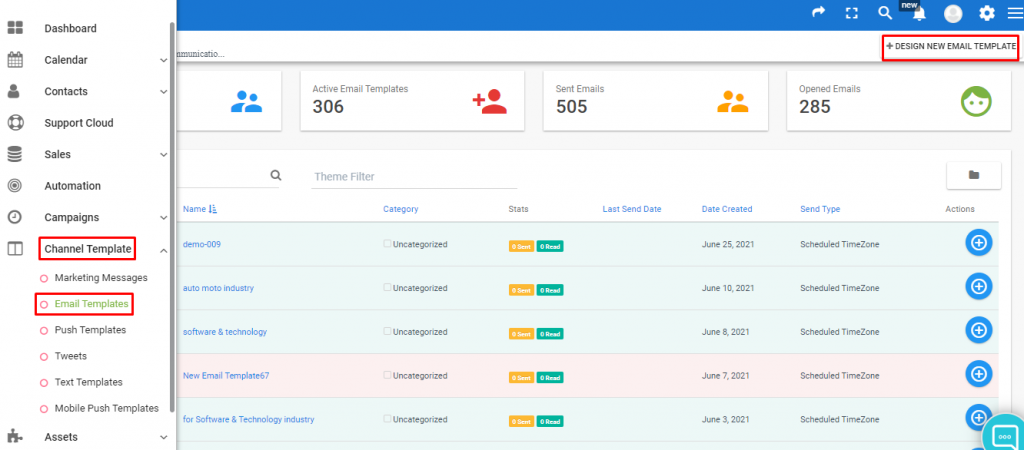
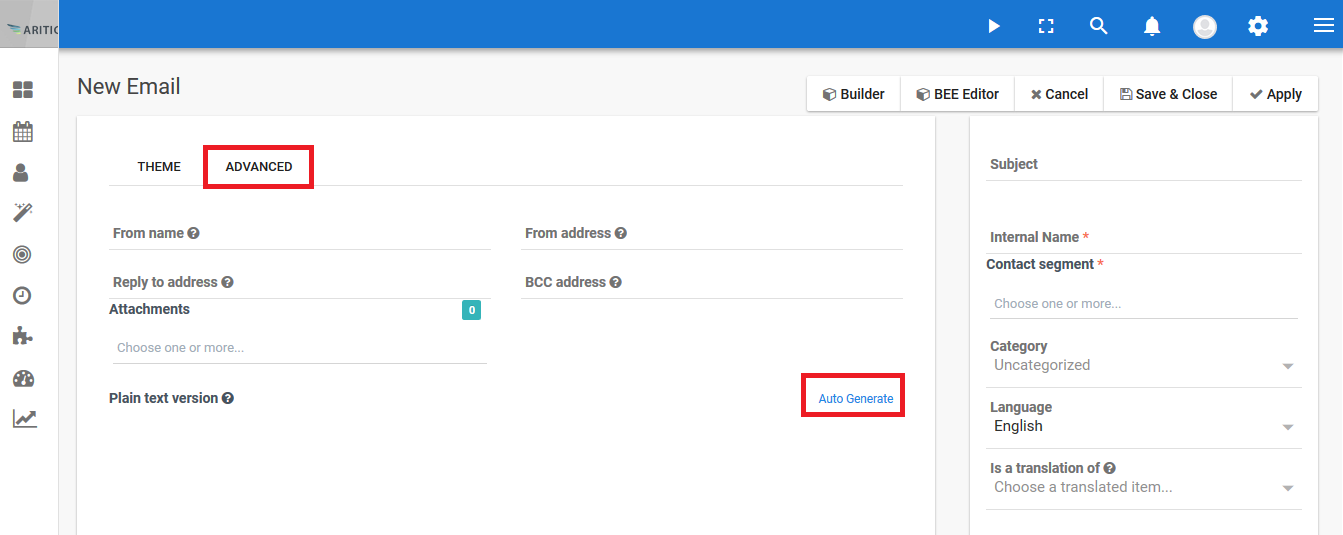
2. Select the “New Template Email” popup.
3. Enter Subject.
4. Enter Footer and click on “Auto Generate”.
5. Enter Internal name
6. Click on “Save and Close” button.
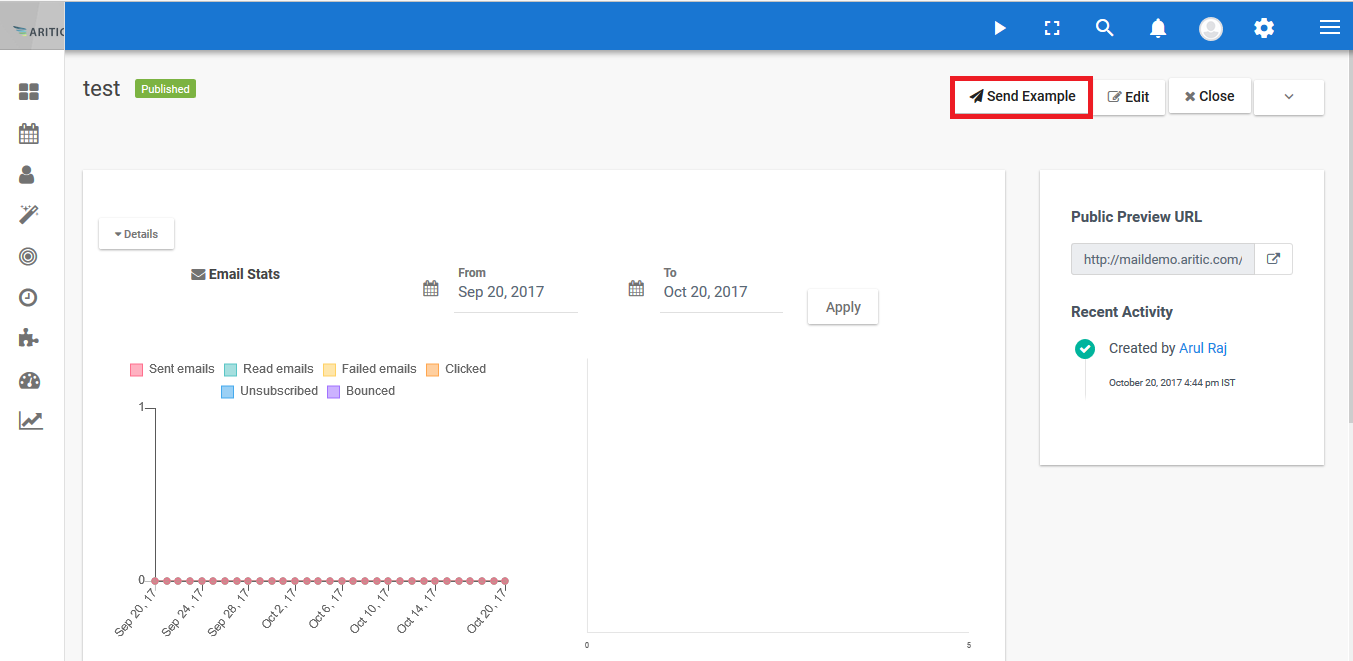
7. Click on “Send Sample” for getting the sample mail.